Catch every email your app sends
Nothing gets delivered. Point your app's SMTP at localhost:1025 and every message lands in a web UI on localhost:8025 instead. An SMTP mail catcher for dev and CI, in one binary.
$ docker run \
-p 1025:1025 -p 8025:8025 \
smyile/rustmail:latest
INFO HTTP server listening port=8025
INFO SMTP server listening addr=0.0.0.0:1025
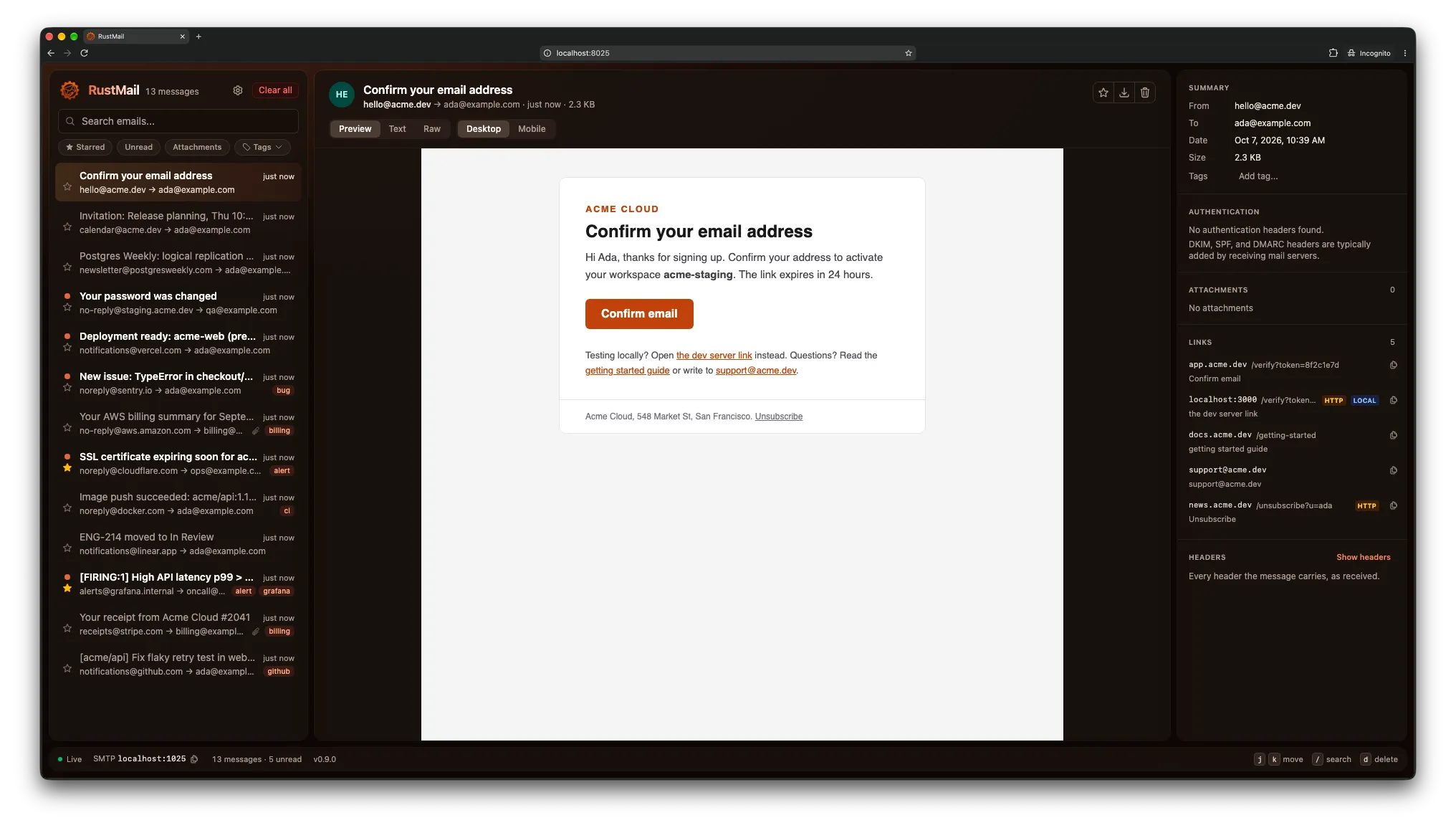
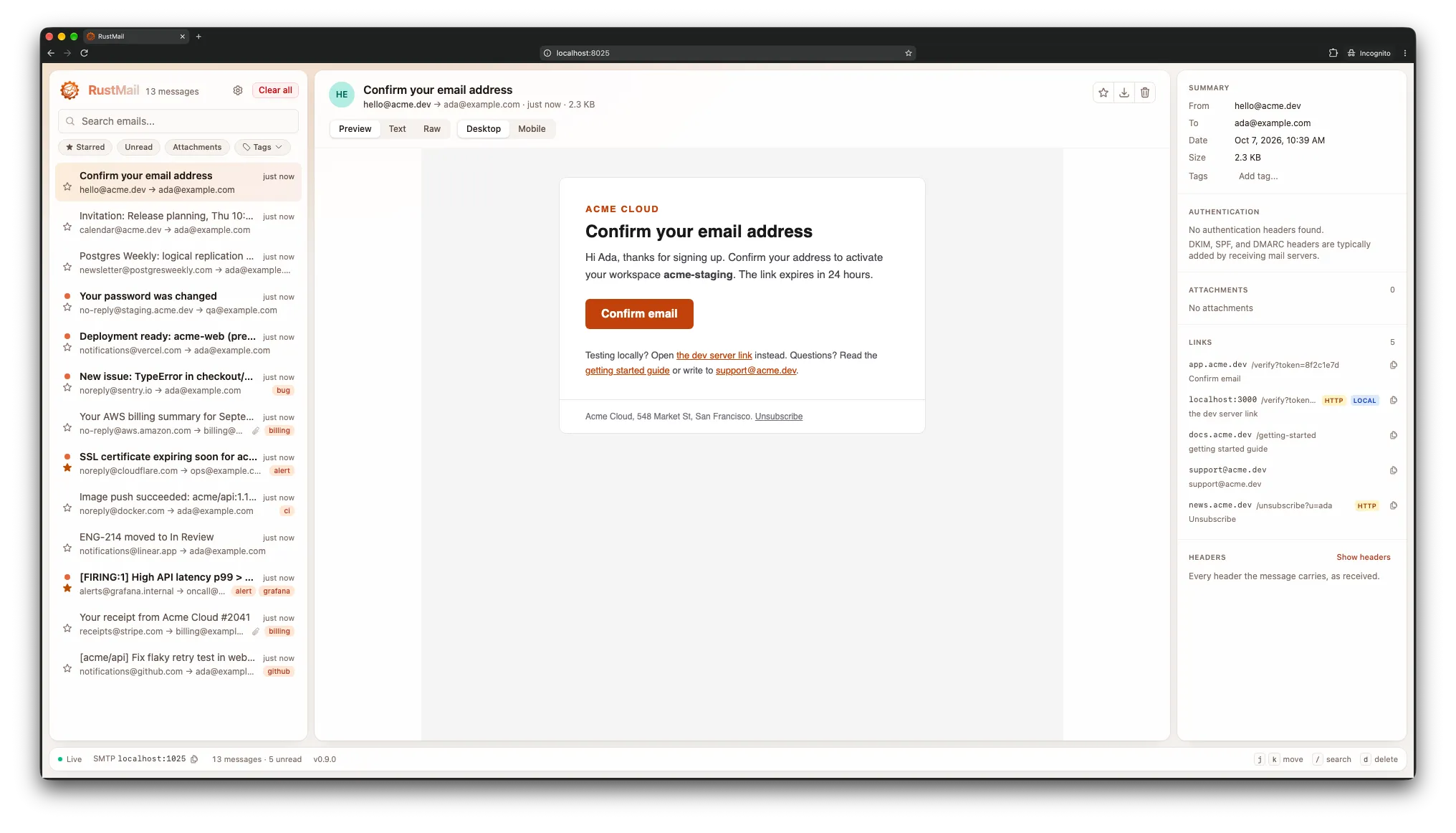
Inspect every message in the web UI
Inbox, message and a details rail with auth results, attachments and links. New mail appears over WebSocket the moment it arrives, with vim-style keys to move, search and delete. Five palettes, dark or light.
Or stay in the terminal
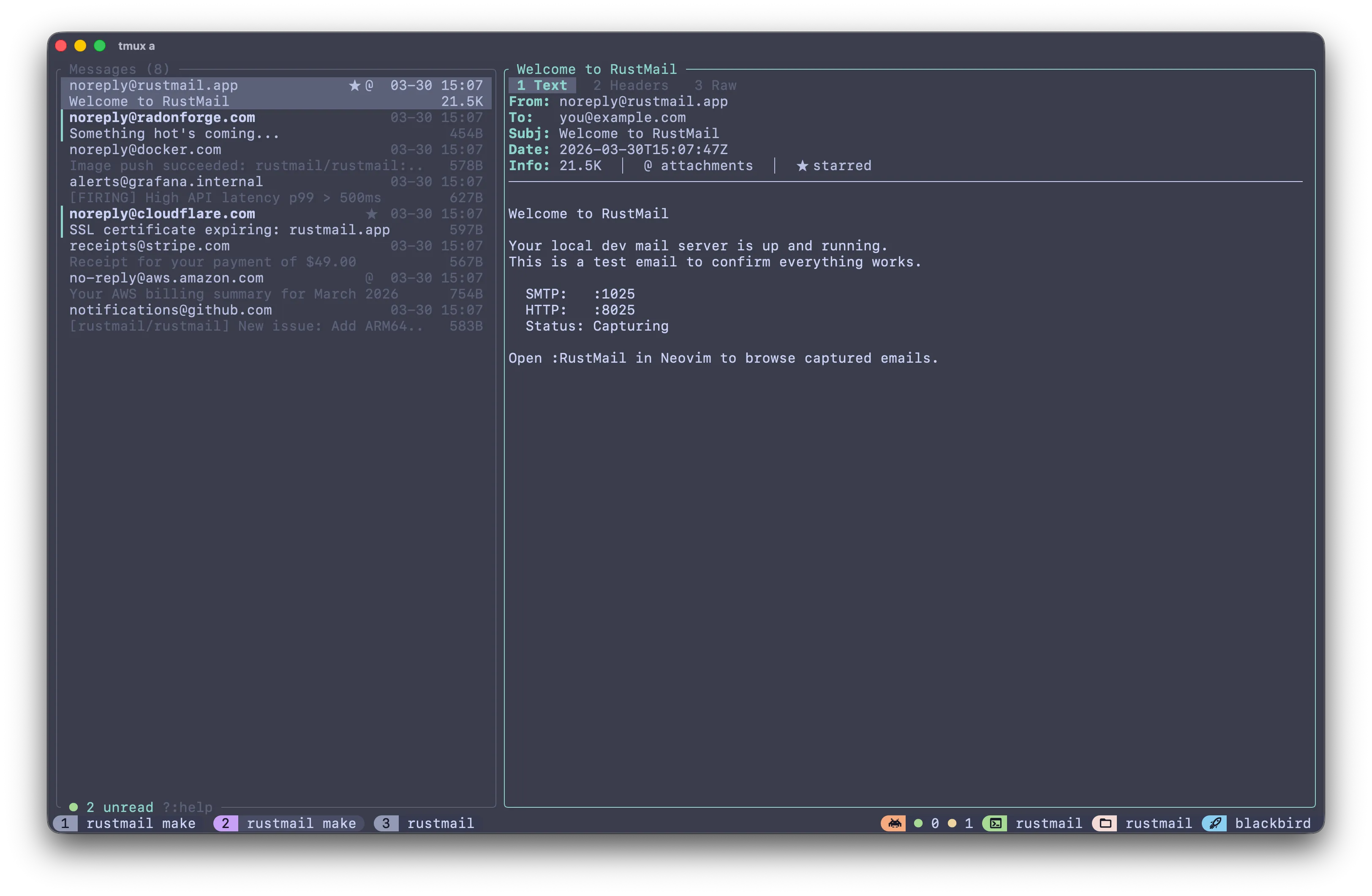
rustmail tui connects to a running server: the same inbox and search, with vim-style keys. It ships in the pre-built binaries (not the Docker image) and as a Neovim plugin.
Features for local email testing
What RustMail checks and keeps for every message it catches.
- Flags links that break outside dev
- The details rail lists every link in the message and flags plain HTTP and localhost URLs before the mail reaches real users.
- DKIM, SPF and DMARC results
- Authentication-Results, DKIM-Signature, Received-SPF and ARC headers, parsed into a verdict badge per check.
- Phone-width preview
- Render the HTML at desktop width or in a 375px frame to see how a responsive template collapses.
- Emails survive restarts
- SQLite-backed by default, or in memory with --ephemeral for throwaway CI runs.
- Full-text search
- SQLite FTS5 across subject, body, sender, and recipients.
- REST API, webhooks and export
- An OpenAPI-documented REST API, a webhook on every new message, EML or JSON export, and release to a real SMTP server.
Test emails in CI
Fail the build when an email is missing or wrong. Start RustMail with the GitHub Action, wait with rustmail assert, or check a running server with one curl.
RustMail Action on the GitHub MarketplaceCI integration guide
- uses: rustmailapp/rustmail-action@v1

- run: npm test

- uses: rustmailapp/rustmail-action@v1
  with:
    mode: assert
    assert-count: 1
    assert-subject: "Welcome"
rustmail assert --timeout=60s --min-count=2 --subject="Password Reset"curl -f "localhost:8025/api/v1/assert/count?min=1&subject=Welcome"Fast where your tests wait
All three in Docker, 100,000 messages stored. Shorter is better.
- RustMail
- 0.66 ms
- Mailpit
- 203 ms
- MailHog
- 1,265 ms
- RustMail
- 0.94 ms
- Mailpit
- 8.3 ms
- MailHog
- 2.2 ms
- RustMail
- 110 MB
- Mailpit
- 210 MB
- MailHog
- Memory only
- RustMail
- 9.4 MB
- Mailpit
- 19.6 MB
- MailHog
- 22.7 MB
Latencies are p50, median of at least 3 runs on an Apple M4 Pro. MailHog runs under amd64 emulation and keeps mail in memory only. See the full comparison or the method and raw numbers.
Install
Coming from MailHog or Mailpit? RustMail listens on the same default ports, SMTP 1025 and HTTP 8025, so your app's SMTP settings stay as they are. See how the three compare.
docker run -p 1025:1025 -p 8025:8025 smyile/rustmail:latestbrew install rustmailapp/rustmail/rustmailStart catching email
Open source, dual-licensed MIT / Apache 2.0.